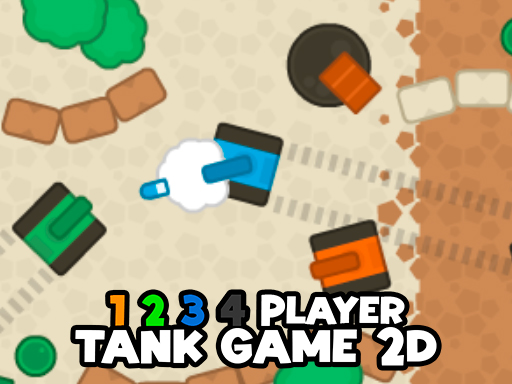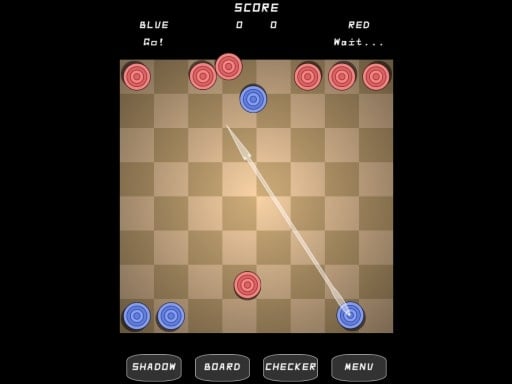
Chromebooks have evolved far beyond simple web browsing machines. Today’s Chrome OS devices offer multiple gaming pathways—from instant browser games to Android apps, Steam titles, and cloud gaming. With over 2.7 billion gamers worldwide, Chromebook gaming is now a legitimate option for casual and even serious players.
This complete guide covers everything you need to know about gaming on your Chromebook in 2025.
How Gaming Works on Chromebooks
Gaming Options Overview
According to About Chromebooks, modern Chromebooks offer four distinct gaming pathways:
| Method | Requirements | Game Quality | Cost |
|---|---|---|---|
| Browser games | Chrome browser | Low to Medium | Free |
| Android apps | Play Store access | Medium | Free/Paid |
| Steam | Intel 11th Gen+ or Ryzen 3000+ | High | Paid |
| Cloud gaming | 15+ Mbps internet | High | Subscription |
Browser-Based Gaming
Browser games offer the most universal Chromebook gaming experience:
Advantages:
- Works on ALL Chromebooks
- No installation required
- Instant play
- Free options abundant
- Regularly updated
Technologies:
- HTML5 for modern web games
- WebGL for 3D graphics
- JavaScript for game logic
- WebAssembly for performance
Best Browser Games for Chromebooks
IO Games
IO games are perfect for Chromebooks—lightweight, multiplayer, and browser-native:
| Game | Type | Why It Works on Chromebook |
|---|---|---|
| Agar.io | Cell eating | Minimal resources, instant play |
| Slither.io | Snake multiplayer | Smooth on any hardware |
| Krunker.io | 3D FPS | Optimized for browsers |
| Diep.io | Tank shooter | Low requirements |
| Surviv.io | Battle royale | 2D graphics, fast loading |
Puzzle Games
Puzzle games run perfectly on Chromebooks:
| Game | Platform | Best For |
|---|---|---|
| Wordle | NYT website | Daily word challenge |
| 2048 | Browser | Number puzzles |
| Mini Crossword | NYT website | Quick word games |
| Chess | Lichess/Chess.com | Strategy |
| Tetris | tetr.io | Classic gameplay |
Strategy Games
Browser-based strategy games for longer sessions:
| Game | Type | Session Length |
|---|---|---|
| Forge of Empires | City builder | 30+ min |
| Travian | Strategy MMO | Variable |
| Conflict of Nations | War strategy | 30+ min |
| Kingdom Rush | Tower defense | 15-30 min |
Best Android Games for Chromebooks
Optimized for Chrome OS
According to Beebom, these Android games run particularly well on Chromebooks:
Among Us According to Medium, “Among Us is optimized for Chrome OS laptops.”
| Aspect | Details |
|---|---|
| Genre | Social deduction |
| Players | 4-15 |
| Works offline | Yes |
| Controller support | Yes |
Stardew Valley According to Fossbytes, “Stardew Valley doesn’t require many resources, making it one of the best games to play natively on your Chromebook.”
| Aspect | Details |
|---|---|
| Genre | Farming simulation |
| Playtime | 100+ hours |
| Works offline | Yes |
| Price | ~$15 |
Roblox According to Laptop Mag, “Roblox is one of the most fun and interactive games you can play on a Chromebook.”
| Aspect | Details |
|---|---|
| Genre | Game platform |
| Content | Limitless experiences |
| Works offline | No |
| Price | Free (with purchases) |
More Top Android Games
| Game | Genre | Chromebook Performance |
|---|---|---|
| Dead Cells | Roguelike | Excellent |
| Minecraft | Sandbox | Good |
| Alto’s Odyssey | Runner | Perfect |
| Monument Valley | Puzzle | Perfect |
| Genshin Impact | Action RPG | Varies by hardware |
Cloud Gaming on Chromebooks
Available Services
According to PCMag, cloud gaming has “revolutionized what’s possible on Chromebooks”:
| Service | Monthly Cost | Game Library | Requirements |
|---|---|---|---|
| Xbox Cloud Gaming | $14.99 (Game Pass) | 100+ games | 15+ Mbps |
| GeForce Now | Free-$19.99 | 1500+ games | 15+ Mbps |
| Amazon Luna | $9.99+ | 100+ games | 15+ Mbps |
| Steam Link | Free (own games) | Your library | 15+ Mbps |
Internet Requirements
According to About Chromebooks:
| Quality | Minimum Speed | Recommended |
|---|---|---|
| 720p | 15 Mbps | 20 Mbps |
| 1080p | 25 Mbps | 35 Mbps |
| Optimal | 35+ Mbps | 50+ Mbps |
Tips for Best Cloud Gaming:
- Use 5GHz WiFi or Ethernet
- Close background tabs
- Position close to router
- Consider a gaming Chromebook with Ethernet port
Steam on Chromebooks
Supported Devices
According to About Chromebooks, “Steam is the de-facto platform to play games on PC and you can install it on Chromebooks officially.”
Requirements:
- Intel 11th Gen or newer processor, OR
- AMD Ryzen 3000 series or newer
- 8GB RAM recommended
- Linux support enabled
Compatible Chromebooks for Steam
| Chromebook | Processor | RAM | Steam Ready |
|---|---|---|---|
| Acer Chromebook Plus 516 GE | Intel Core i5 | 8GB | Yes |
| ASUS Chromebook Plus CX5 | Intel Core i3/i5 | 8GB | Yes |
| HP Chromebook Plus x360 | Intel Core i3 | 8GB | Yes |
| Framework Laptop Chromebook | Intel Core i5+ | 8GB+ | Yes |
Steam Games That Run Well
| Game | Genre | Chromebook Performance |
|---|---|---|
| Stardew Valley | Farming | Excellent |
| Hollow Knight | Metroidvania | Very Good |
| Celeste | Platformer | Excellent |
| Hades | Roguelike | Good |
| Dead Cells | Action | Very Good |
Best Gaming Chromebooks 2025
Top Picks
According to PCMag:
Acer Chromebook Plus 516 GE - Best Overall
| Spec | Details |
|---|---|
| Display | 16” 120Hz |
| Processor | Intel Core i5-1240P |
| RAM | 8GB |
| Storage | 256GB SSD |
| Special | RGB keyboard, Ethernet |
According to About Chromebooks, this model “packs a high-refresh-rate display, a fast-polling keyboard, and a speedier-than-most Wi-Fi radio, all tuned for cloud gaming.”
Budget Options:
| Model | Price Range | Best For |
|---|---|---|
| Lenovo IdeaPad Gaming Chromebook | $400-500 | Cloud gaming |
| ASUS Chromebook Flip CM3 | $300-400 | Casual gaming |
| HP Chromebook 14 | $200-300 | Browser games |
Games by Chromebook Tier
Budget Chromebooks ($200-350)
Focus on browser and light Android games:
| Category | Recommended Games |
|---|---|
| IO Games | Agar.io, Slither.io, Paper.io |
| Puzzles | Wordle, 2048, Sudoku |
| Card Games | Solitaire, Hearthstone |
| Casual | Candy Crush, Angry Birds |
Mid-Range Chromebooks ($350-600)
Add Android gaming and basic cloud gaming:
| Category | Recommended Games |
|---|---|
| All budget games | Plus everything below |
| Android | Among Us, Stardew Valley |
| Cloud (720p) | Basic cloud gaming |
| Strategy | Forge of Empires, Travian |
Premium Chromebooks ($600+)
Full gaming experience available:
| Category | Recommended Games |
|---|---|
| All above | Plus everything below |
| Steam | Hollow Knight, Dead Cells |
| Cloud (1080p) | AAA titles via cloud |
| Android | Genshin Impact, demanding games |
Optimizing Chromebook for Gaming
System Settings
Performance Tips:
| Setting | Action |
|---|---|
| Background apps | Disable unused |
| Extensions | Remove unnecessary |
| Storage | Keep 20%+ free |
| Updates | Keep Chrome OS current |
| Power mode | Use “Best performance” |
Browser Optimization
For browser games:
| Tip | Benefit |
|---|---|
| Close unused tabs | Frees RAM |
| Disable extensions | Faster performance |
| Enable hardware acceleration | Better graphics |
| Clear cache regularly | Smoother loading |
Network Optimization
For cloud gaming:
| Tip | Benefit |
|---|---|
| Use 5GHz WiFi | Lower latency |
| Ethernet if available | Best stability |
| Close streaming apps | More bandwidth |
| Position near router | Stronger signal |
Gaming Categories for Chromebooks
Best for Quick Sessions
| Game | Time Needed | Platform |
|---|---|---|
| Wordle | 5 min | Browser |
| 2048 | 5-10 min | Browser |
| Agar.io | 5-15 min | Browser |
| Mini Crossword | 2-5 min | Browser |
Best for Longer Sessions
| Game | Time Needed | Platform |
|---|---|---|
| Stardew Valley | 1+ hours | Android/Steam |
| Among Us | 30-60 min | Android |
| Forge of Empires | 30+ min | Browser |
| Dead Cells | 30-60 min | Android/Steam |
Best Multiplayer Games
| Game | Players | Platform |
|---|---|---|
| Among Us | 4-15 | Android |
| Roblox | Varies | Android |
| Krunker.io | Many | Browser |
| Skribbl.io | 2-12 | Browser |
Best Single-Player Games
| Game | Genre | Platform |
|---|---|---|
| Stardew Valley | Farming | Android/Steam |
| Hollow Knight | Metroidvania | Steam |
| Alto’s Odyssey | Runner | Android |
| Cookie Clicker | Idle | Browser |
Troubleshooting Chromebook Gaming
Common Issues and Solutions
| Problem | Cause | Solution |
|---|---|---|
| Lag in browser games | Too many tabs | Close unused tabs |
| Android game crashes | Insufficient RAM | Close other apps |
| Cloud gaming stutters | Slow internet | Check connection speed |
| Steam won’t install | Unsupported hardware | Use cloud gaming instead |
| Black screen | WebGL disabled | Reset Chrome flags |
Android Game Issues
Game won’t launch:
- Check Play Store compatibility
- Clear game cache
- Update Chrome OS
- Reinstall the game
Performance issues:
- Close background apps
- Disable battery saver
- Check for game updates
- Restart Chromebook
Cloud Gaming Issues
Connection problems:
- Test internet speed (need 15+ Mbps)
- Switch to 5GHz WiFi
- Move closer to router
- Use Ethernet if available
- Close bandwidth-heavy apps
Frequently Asked Questions
Can you play games on a Chromebook?
Yes, absolutely. Modern Chromebooks support multiple gaming methods: browser games work on all Chromebooks instantly, Android games are available through the Play Store, Steam runs on models with Intel 11th Gen+ or AMD Ryzen 3000+ processors, and cloud gaming services stream high-end games to any Chromebook with good internet. According to About Chromebooks, “credible gaming on ChromeOS laptops and tablets is now a reality.”
What are the best free games for Chromebook?
Browser games offer the best free options: IO games like Agar.io, Slither.io, and Krunker.io run perfectly on any Chromebook. Puzzle games like Wordle and 2048 are completely free. For Android, games like Roblox and many casual titles are free-to-play. According to Beebom, free browser and Android games provide hundreds of hours of entertainment on Chrome OS devices.
Do Chromebooks support cloud gaming?
Yes, cloud gaming works excellently on Chromebooks. Services like Xbox Cloud Gaming, GeForce Now, and Amazon Luna run in the Chrome browser. According to About Chromebooks, you need at least 15 Mbps for 720p and 25 Mbps for full HD cloud gaming. Gaming-focused Chromebooks like the Acer Chromebook Plus 516 GE include features specifically designed for cloud gaming, such as 120Hz displays and Ethernet ports.
Can I play Steam games on a Chromebook?
On supported Chromebooks, yes. According to About Chromebooks, you need an Intel 11th Gen or AMD Ryzen 3000 series processor or newer. Enable Linux support, then install Steam. Games like Stardew Valley, Hollow Knight, and Dead Cells run well on capable Chromebooks. Budget Chromebooks typically can’t run Steam, but cloud gaming provides an alternative for accessing PC game libraries.
What’s the best Chromebook for gaming?
According to PCMag, the Acer Chromebook Plus 516 GE is the top gaming Chromebook, featuring a 120Hz display, Intel Core i5, 8GB RAM, and Ethernet port—all optimized for cloud gaming. For budget gaming, the Lenovo IdeaPad Gaming Chromebook offers good value. Any Chromebook works for browser games, but cloud and Steam gaming require mid-range or premium models.
Are Android games good on Chromebooks?
Many Android games work excellently on Chromebooks. According to Medium, Among Us is “optimized for Chrome OS laptops,” and games like Stardew Valley, Dead Cells, and Alto’s Odyssey perform very well. However, some games designed for touchscreens may feel awkward with a keyboard and trackpad. Look for games with controller support or keyboard compatibility for the best experience.
Related Resources
Explore more gaming guides:
- Best Games for Low-End PC - Lightweight browser games
- Free Games No Download - Instant-play browser games
- Best IO Games Guide - Multiplayer browser games
- Best Free Browser Games 2025 - Complete directory
Conclusion
Chromebook gaming has never been better. Whether you’re using a budget device for browser games, a mid-range model for Android apps, or a premium Chromebook for Steam and cloud gaming, options abound.
According to About Chromebooks, “Gone are the days when Chromebooks were considered merely basic laptops for web browsing and document editing. Today’s Chrome OS devices have evolved into surprisingly capable gaming machines.”
Start with browser games—they work on every Chromebook and offer instant entertainment. As you explore, try Android games through the Play Store, and if your internet supports it, cloud gaming opens up AAA titles without powerful hardware.
Your Chromebook is ready for gaming. The only question is what to play first.
Sources
- PCMag - Best Chromebooks for Gaming
- Laptop Mag - Best Chromebook Games 2025
- Beebom - Best Chromebook Games
- About Chromebooks - Gaming on Chromebook 2025
- About Chromebooks - How Good Are Chromebooks for Gaming
- Fossbytes - Best Games for Chromebook
- Medium - 20 Best ChromeOS Games 2024
- Chrome Geek - Chromebook Games
- Strafe - Best Chromebook Games 2025