“Unblocked Games 76” ranks among the most searched gaming terms by students, with over 368,000 monthly searches according to keyword research data. This massive search volume reflects students looking for games that work on school computers during free periods, lunch breaks, or after finishing assignments.
This guide covers what Unblocked Games 76 is, why students search for it, and the best alternatives available in 2025 that actually work on school networks.
What is Unblocked Games 76?
Unblocked Games 76 refers to a category of gaming websites that host browser games accessible on school and workplace networks. The “76” in the name originated from one of many numbered unblocked game sites that emerged to help students bypass school internet filters.
Why “Unblocked Games” Sites Exist
| Reason | Explanation |
|---|---|
| School Filters | Most schools block major gaming sites like Steam, Roblox, and console game websites |
| Browser-Based | HTML5 games run directly in web browsers without downloads |
| Quick Access | Students can play during short breaks without installation |
| No Accounts | Most unblocked games don’t require sign-ups or personal information |
The Search Volume Reality
According to SEO keyword data, unblocked gaming searches are massive:
| Keyword | Monthly Searches |
|---|---|
| “unblocked games” | 3,350,000 |
| “unblocked games 76” | 368,000 |
| “unblocked games at school” | 201,000 |
| “free games unblocked” | 165,000 |
This search volume represents millions of students seeking accessible gaming options during school hours.
Why School Networks Block Games
Understanding why schools filter content helps explain which games remain accessible.
Legal Requirements
Schools receiving federal E-Rate funding must comply with the Children’s Internet Protection Act (CIPA), which mandates filtering of:
- Obscene content
- Child pornography
- Content harmful to minors
While CIPA doesn’t specifically require blocking games, schools often extend filtering to gaming sites for academic focus reasons.
Technical Blocking Methods
| Method | How It Works | Bypass Difficulty |
|---|---|---|
| URL Blocking | Blocks specific website addresses | Medium - new sites appear constantly |
| Category Filtering | Blocks entire categories (Gaming, Social Media) | High - broadly effective |
| Keyword Filtering | Blocks pages containing gaming-related terms | Medium - context-dependent |
| Bandwidth Monitoring | Flags high-usage activities | Low - lightweight games pass through |
Why Some Games Work
Games that bypass school filters typically share these characteristics:
- HTML5 technology — No plugins required
- Low bandwidth — Don’t trigger network monitoring
- Educational appearance — Hosted on sites with educational-sounding names
- Simple domains — Not on blocked gaming domain lists
Best Unblocked Games 76 Alternatives in 2025
These games commonly work on school networks and provide quality entertainment during breaks.
Slope
Rating: 9/10 for unblocked gaming
Slope Game is the quintessential unblocked game—an endless runner where you control a ball rolling down a 3D slope, avoiding obstacles and red blocks.
Why It Works on School Networks:
| Factor | Explanation |
|---|---|
| Lightweight | Minimal bandwidth usage |
| Simple graphics | Runs on any computer |
| No multiplayer | No external connections |
| Addictive gameplay | Short sessions fit break times |
Gameplay Features:
- Procedurally generated slopes
- Increasing speed over time
- Leaderboard competition
- Simple one-button controls
Slope consistently ranks among the most played unblocked games because it’s genuinely fun, not just accessible.
2048
Rating: 9/10 for puzzle fans
2048 is a number-sliding puzzle that appears on educational sites and commonly passes content filters.
Why Schools Don’t Block It:
| Reason | Details |
|---|---|
| Math-based | Involves number manipulation |
| Educational appearance | Looks like a math exercise |
| Single-player | No social/chat features |
| Browser-native | No downloads required |
How to Play:
- Slide numbered tiles on a 4x4 grid
- Matching numbers combine (2+2=4, 4+4=8)
- Goal: Create a 2048 tile
- Game ends when no moves remain
2048 demonstrates that unblocked games can be genuinely engaging brain exercises.
Bloxd.io
Rating: 8.5/10 for Roblox fans
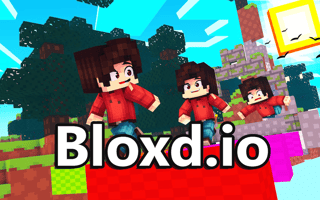
Bloxd.io offers Roblox-style block gameplay in a browser, making it one of the most popular Unblocked Games 76 alternatives.
Game Modes:
| Mode | Description |
|---|---|
| DoodleCube | Creative building sandbox |
| BloxdHop | Parkour and obstacle courses |
| EvilTower | Tower escape challenges |
| CubeWarfare | Combat-focused gameplay |
Why It’s Popular:
- No download required
- Multiple game modes in one platform
- Block-style graphics familiar to Roblox players
- Works on Chromebooks and school computers
For students who can’t access Roblox at school, Bloxd.io provides the closest alternative experience.
Temple Run Style Games
Rating: 8/10 for action fans
Endless runner games like Temple Run 2 - Tomb Runner work well on school networks due to their simple graphics and offline functionality.
Popular Endless Runners:
| Game | Style |
|---|---|
| Temple Run variants | Adventure running |
| Subway style games | Urban environments |
| Slope games | 3D ball rolling |
| Parkour runners | Obstacle courses |
These games offer quick sessions perfect for short breaks between classes.
Neon Ball Slope
Rating: 8/10 for casual gaming
Neon Ball Slope provides arcade-style gameplay with vibrant neon visuals that run smoothly on school computers.
Features:
- Vibrant neon graphics
- Simple controls
- Progressive difficulty
- No account required
Game Categories That Work at School
Certain game types consistently bypass school filters better than others.
Puzzle Games - Highest Success Rate
| Game Type | Why It Works | Examples |
|---|---|---|
| Number puzzles | Educational appearance | 2048, Sudoku |
| Word games | Vocabulary building | Wordle clones |
| Logic puzzles | Problem-solving focus | Mahjong, matching games |
| Physics puzzles | STEM-adjacent | Cut the rope style |
Browse our puzzle games collection for titles that typically work on school networks.
Skill Games - Medium Success Rate
| Game Type | Network Impact | School Compatibility |
|---|---|---|
| Endless runners | Low bandwidth | Usually works |
| Ball rolling | Minimal data | Usually works |
| Timing games | No multiplayer | Usually works |
| Reflex games | Single-player | Usually works |
Our skill games category features many school-friendly options.
IO Games - Variable Success Rate
IO games have mixed results on school networks:
More Likely to Work:
- Single-player io games
- Turn-based variants
- Games with minimal real-time data
Often Blocked:
- Real-time multiplayer
- Games requiring voice chat
- High-bandwidth titles
Games to Avoid at School
Some game types almost always get blocked:
| Type | Why Blocked |
|---|---|
| First-person shooters | Violence concerns |
| Real-time multiplayer | Bandwidth + distraction |
| Games with chat | Safety concerns |
| Downloadable games | IT policy violations |
| Gambling-style games | Content restrictions |
How to Find Working Games
Check Before Class
Test games during free time before you need them. Network filters can change without notice.
Look for HTML5 Games
HTML5 games work directly in browsers without:
- Flash Player (discontinued)
- Java plugins
- Downloaded executables
- Browser extensions
Use Educational Gaming Sites
Sites explicitly marketed as educational often remain unblocked:
- Math game portals
- Typing practice sites
- Logic puzzle collections
Bookmark Working Games
When you find games that work, bookmark them immediately. School IT departments regularly update block lists.
Responsible Gaming at School
When to Play
| Appropriate | Inappropriate |
|---|---|
| Free periods | During instruction |
| Lunch breaks | While teacher is talking |
| After finishing work | Instead of assignments |
| Study hall (if permitted) | During tests |
Academic Priority
Games should supplement school, not replace learning:
- Finish assignments first
- Use gaming as a reward for completed work
- Don’t let gaming affect grades
- Respect teacher instructions
Network Etiquette
| Do | Don’t |
|---|---|
| Use minimal bandwidth | Stream video or music |
| Play single-player games | Organize multiplayer sessions |
| Close games when asked | Argue about game access |
| Report inappropriate content | Share filter bypass methods |
Technical Tips for School Gaming
Chromebook Compatibility
Most school-issued Chromebooks run HTML5 games well. For best performance:
| Tip | Reason |
|---|---|
| Close unused tabs | Free up memory |
| Disable extensions | Reduce resource usage |
| Use fullscreen mode | Better performance |
| Clear cache regularly | Prevent slowdowns |
Dealing with Slow Connections
School networks often have bandwidth limitations:
Solutions:
- Choose lightweight games
- Avoid games with heavy graphics
- Play during off-peak hours
- Stick to single-player games
When Games Don’t Load
If a previously working game stops loading:
- Clear browser cache — Old data may conflict
- Try incognito mode — Bypasses some cached blocks
- Check network status — School may have issues
- Try different games — The specific game may be newly blocked
Frequently Asked Questions
What is Unblocked Games 76?
Unblocked Games 76 refers to websites hosting browser games accessible on school networks. The “76” comes from numbered unblocked gaming sites that emerged as alternatives when schools began blocking popular gaming platforms. These sites host HTML5 games that typically bypass school content filters.
Why do schools block games?
Schools block games primarily for academic focus and legal compliance. The Children’s Internet Protection Act requires filtering harmful content for schools receiving federal funding. While games aren’t specifically required to be blocked, schools extend filtering to minimize distractions during instruction time.
What games work on school computers?
Puzzle games, single-player skill games, and educational games most commonly work on school networks. Games like 2048, Slope, and typing games often bypass filters because they’re lightweight, single-player, and sometimes appear educational. Multiplayer games with chat features are typically blocked.
Is it safe to play unblocked games?
Playing HTML5 games on reputable websites is generally safe. Avoid sites asking for downloads, personal information, or payment. Stick to established gaming portals rather than obscure sites that may contain malware. Never download executable files or browser extensions claiming to unblock games.
Can I get in trouble for playing games at school?
School policies vary significantly. Playing during appropriate times (lunch, free periods) is usually acceptable, but playing during instruction typically violates school rules. Check your school’s acceptable use policy and respect teacher instructions regarding computer usage.
What’s the best unblocked game?
Slope consistently ranks as the most popular unblocked game due to its addictive gameplay, simple controls, and reliable availability. 2048 follows closely for puzzle fans. Bloxd.io appeals to students wanting Roblox-style gameplay. The “best” game depends on your preferences and what’s accessible on your specific network.
Popular Unblocked Game Collections
By Genre
Puzzle Games That Usually Work:
- 2048
- Mahjong variants
- Sudoku games
- Word puzzles
Skill Games That Usually Work:
- Slope Game
- Ball rolling games
- Timing challenges
- Reflex tests
Adventure Games That May Work:
- Bloxd.io
- Endless runners
- Parkour games
- Exploration titles
By Popularity
According to search data, students most commonly seek:
| Rank | Game/Type | Monthly Searches |
|---|---|---|
| 1 | Slope | 201,000 |
| 2 | 2048 | 165,000 |
| 3 | IO games | 135,000 |
| 4 | Subway runner style | 90,500 |
| 5 | Temple run style | 74,000 |
Conclusion
Unblocked Games 76 represents students’ ongoing search for accessible gaming during school hours. While specific “unblocked games” sites come and go as schools update filters, the underlying need for quick, browser-based entertainment remains constant.
Key Takeaways:
- Best overall: Slope for action, 2048 for puzzles
- Roblox alternative: Bloxd.io
- Most reliable category: Puzzle games
- Priority: Always put academics first
For more school-friendly gaming options, explore our puzzle games collection or read our complete guide to unblocked games for school 2025.
Looking for more gaming options? Check our skill games category for action titles or browse io games for multiplayer alternatives.
Unblocked Games You Can Play Right Now
These run directly in your browser on TRPLX — no download, no installer, no account. That means nothing to install on a locked-down school or work machine.
- Geometry Dash Unblocked — GeometryDashUnblocked is a fun sidescrolling action arcade rush. Control the geometric cubes through a large number of spikes. Seize the moment and tap to jump so that the cube…
- Friday Night Funkin Unblocked — Friday Night Funkin Unblocked is a wildly popular casual arcade music game where you can immerse yourself in the crazy beats and supercharged duels. Tap the arrows in sync with…
- Getting Over It Unblocked — Start the most wonderful climbing adventure ever at Getting Over It Unblocked. This game will test your patience, skill, and determination like never before. You play as a man…
- Super Mario Unblocked — When playing, the player is assuming the role of Mario and has to go through the Mushroom Kingdom. The player has to survive the evil forces of the game’s villain, Bowser, and…
- Minecraft Unblocked Online — Welcome to Minecraft Unblocked Online - a completely open pixel sandbox world. Here you can build, design and create your own fantasy world to your hearts content! You can…