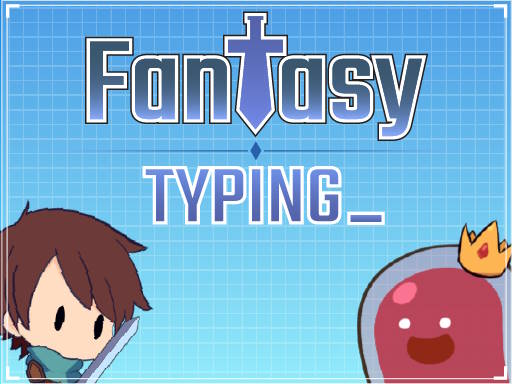
Typing is no longer just a secretarial skill—it’s a fundamental digital literacy requirement for the modern world. Whether you’re a student completing assignments, a professional managing emails, or a gamer communicating with teammates, your typing speed directly impacts your productivity and effectiveness. The good news? Improving your typing doesn’t have to feel like work. Typing games transform mundane keyboard drills into engaging challenges that make you forget you’re learning.
This comprehensive guide explores the best free typing games online, from competitive racing games to educational platforms designed for all skill levels. We’ll examine what makes typing games effective, recommend specific games for different goals, and provide strategies for maximizing your improvement.
Why Typing Speed Matters in 2025
Before diving into games, let’s understand why typing proficiency has become so crucial:
The Productivity Connection
Research from Ratatype reveals striking statistics about typing and productivity:
| Typing Method | Average Speed | Annual Time Difference |
|---|---|---|
| Touch Typing | 54 WPM | Baseline |
| Hunt and Peck | 40 WPM | +127 hours lost |
| Professional | 75+ WPM | -89 hours saved |
The average person spends over 3.5 hours daily using a keyboard. A 15% improvement in typing speed translates to 31 minutes saved per day—that’s 192 hours or approximately 19 full days per year.
Career Impact
According to a study by the National Skills Coalition, 92% of jobs across all industries now require digital skills, with typing being foundational. Survey data shows that workers earning $100,000 or more annually spend over 87% of their workweek typing.
Microsoft research found that nearly a third of British employers hesitate to hire candidates who cannot touch type, and 38% of employers explicitly recognize typing as a productivity-enhancing skill.
Academic Performance
For students, typing proficiency means:
- Faster completion of assignments and tests
- More time for revision and editing
- Better focus on content rather than mechanics
- Improved digital communication skills
Understanding Typing Speed Benchmarks
Before choosing a typing game, understand where you stand and where you want to be:
| Skill Level | Speed (WPM) | Accuracy | Typical Profile |
|---|---|---|---|
| Beginner | 15-25 | 85-90% | New to typing |
| Developing | 26-40 | 90-93% | Casual computer user |
| Intermediate | 41-60 | 93-96% | Regular typist |
| Advanced | 61-80 | 96-98% | Professional level |
| Expert | 81-100 | 98-99% | Data entry/transcription |
| Elite | 100+ | 99%+ | Competitive typist |
According to Typing.com, the average employee types over 4.3 million words annually. Even small speed improvements compound into significant time savings.
Best Racing Typing Games
Racing games add competitive excitement to typing practice. The thrill of overtaking opponents motivates consistent practice.
1. Nitro Type
Best for: Competitive players who love progression systems
Nitro Type has become one of the most popular typing games, with over 1 million monthly players. The premise is simple: type accurately and quickly to make your car go faster.
Key Features:
- Real-time multiplayer races against global players
- Extensive car collection and customization
- Team competitions and leagues (replacing leaderboards since January 2024)
- Detailed statistics tracking
- Achievement system for motivation
Skill Requirements:
| Level | Minimum WPM | Experience |
|---|---|---|
| Easy | 26 WPM | Beginners welcome |
| Medium | 46 WPM | Developing typists |
| Hard | 66+ WPM | Advanced typists |
Why It Works: The car unlocking and customization system creates powerful progression incentives. You’re not just practicing typing—you’re working toward your next vehicle.
2. TypeRacer
Best for: Serious improvement with real-world text
TypeRacer pioneered competitive typing races and remains a favorite among those seeking genuine skill development.
Key Features:
- Races using quotes from books, movies, and songs
- Detailed performance analytics
- Private race rooms for friends
- Historical statistics tracking
- Universe rankings by speed
What Makes It Different: Unlike games with random or generated text, TypeRacer uses actual literary quotes. This means you’re practicing with realistic vocabulary and sentence structures you’ll encounter in real writing.
3. Type Rush
Best for: Students and classroom settings
Type Rush offers a streamlined racing experience designed for educational environments. Teachers report significant improvement in student engagement compared to traditional typing programs.
Educational Benefits:
- Progressive difficulty scaling
- Rewards timed appropriately for sustained learning
- Clean interface without distracting elements
- Works well on school networks
Best Educational Typing Platforms
While racing games excel at motivation, dedicated educational platforms provide structured curricula for comprehensive skill development.
4. Typing.com
Best for: Complete beginners and classroom use
Typing.com offers one of the most comprehensive free typing curricula available, used by schools worldwide.
Curriculum Structure:
- Beginner: Home row mastery, basic finger placement
- Intermediate: Full keyboard, special characters
- Advanced: Speed building, accuracy refinement
- Games: Fun reinforcement activities
Features:
- Free accounts for students and teachers
- Progress tracking and reporting
- Accessibility features for diverse learners
- COPPA compliant for children
5. Keybr
Best for: Adaptive learning and algorithm-driven improvement
Keybr uses sophisticated algorithms to identify your weak points and customize practice accordingly.
How It Works:
- Starts with common letter combinations
- Analyzes your error patterns in real-time
- Focuses practice on problem areas
- Gradually introduces more complex sequences
Unique Approach: Rather than fixed lessons, Keybr generates custom practice text based on your specific weaknesses. If you struggle with “qu” combinations, you’ll see more words containing them.
6. TypingClub
Best for: Visual learners and those wanting structured progression
TypingClub provides visually engaging lessons with animated hand guides showing proper finger placement.
Features:
- 684 lesson plans covering all skill levels
- Interactive hand position visualization
- Custom lesson creation for teachers
- Multi-language keyboard support
7. Dance Mat Typing (BBC)
Best for: Children ages 7-11
This classic from BBC remains one of the most beloved typing games for young learners. Colorful animal characters guide children through touch typing basics.
Why Kids Love It:
- Engaging animated characters
- Achievement celebrations
- No registration required
- Age-appropriate pacing
Best Arcade-Style Typing Games
Sometimes you want typing practice that feels less like practice and more like gaming.
8. ZType
Best for: Space shooter fans
ZType transforms typing into a space shooter where you defend against waves of word-bearing enemies. Type the words to destroy incoming threats before they reach your ship.
Gameplay Elements:
- Progressive difficulty waves
- Power-ups and ship upgrades
- Endless mode for high score chasing
- Satisfying visual and audio feedback
9. The Typing of the Dead
Best for: Horror fans and mature audiences
A cult classic that reimagines the House of the Dead arcade game with keyboards instead of light guns. Type words to defeat zombies in this unique horror-typing hybrid.
10. Epistory - Typing Chronicles
Best for: Story-driven gaming experience
This premium game (available on Steam) offers a beautiful adventure where typing is your only weapon. Explore a paper-craft world, solve puzzles, and defeat enemies through typing.
Why It’s Worth It:
- Gorgeous visual design
- Engaging narrative
- Multiple difficulty settings
- Approximately 5-8 hours of content
Typing Games Comparison Table
| Game | Best For | Cost | Multiplayer | Mobile |
|---|---|---|---|---|
| Nitro Type | Competition | Free/Premium | Yes | No |
| TypeRacer | Real text practice | Free/Premium | Yes | No |
| Typing.com | Complete learning | Free | No | Limited |
| Keybr | Adaptive practice | Free | No | Yes |
| ZType | Arcade action | Free | No | No |
| Type Rush | Schools | Free | Yes | No |
| TypingClub | Visual learners | Free/Premium | No | Yes |
Strategies for Maximum Improvement
Playing typing games alone won’t guarantee improvement. Apply these strategies for optimal results:
1. Focus on Accuracy First
Research consistently shows that prioritizing accuracy over speed leads to better long-term outcomes. When you type accurately from the start, you build correct muscle memory patterns. Fixing ingrained errors later is much harder than learning correctly initially.
The Rule: Aim for 98%+ accuracy before pushing for speed. Speed naturally improves as accuracy becomes automatic.
2. Practice Consistently
Short, regular sessions outperform occasional marathon practices. Muscle memory develops through repetition over time, not intensity.
Recommended Schedule:
| Goal | Daily Practice | Expected Timeline |
|---|---|---|
| Basic Proficiency | 15-20 minutes | 2-4 weeks |
| Significant Improvement | 30 minutes | 1-2 months |
| Professional Speed | 45-60 minutes | 3-6 months |
According to Ratatype, just 5 minutes daily for a month can improve speeds from 15 WPM to 40 WPM—a 167% improvement.
3. Use Proper Technique
Typing games are most effective when combined with proper technique:
Posture:
- Sit upright with feet flat on floor
- Elbows at roughly 90-degree angles
- Wrists neutral, not bent
- Screen at eye level
Hand Position:
- Home row: ASDF (left hand), JKL; (right hand)
- Index fingers on F and J (usually bumped keys)
- Fingers curved, hovering over keys
- Thumbs rest on spacebar
4. Mix Game Types
Different games develop different skills:
- Racing games: Speed under pressure
- Educational platforms: Proper technique
- Arcade games: Sustained focus
- Real-text games: Vocabulary and patterns
Rotate between types for well-rounded development.
5. Track Your Progress
Most typing games include statistics. Review them regularly:
Key Metrics to Monitor:
- Average WPM over time
- Accuracy percentage
- Problem keys or combinations
- Consistency (standard deviation)
Seeing improvement visualized motivates continued practice.
Typing Games for Specific Audiences
For Students (K-12)
| Age Group | Recommended Games | Focus |
|---|---|---|
| K-2 | Dance Mat Typing | Letter recognition |
| 3-5 | TypingClub, Typing.com | Home row mastery |
| 6-8 | Nitro Type, Type Rush | Speed building |
| 9-12 | TypeRacer, Keybr | Professional preparation |
For Professionals
Focus on games using real-world text:
- TypeRacer: Literary quotes build vocabulary
- Keybr: Addresses specific weaknesses
- 10FastFingers: Tests with common words
Target Speed by Role:
| Profession | Minimum WPM | Ideal WPM |
|---|---|---|
| General Office | 40 | 60+ |
| Administrative | 50 | 70+ |
| Data Entry | 60 | 80+ |
| Transcription | 70 | 90+ |
| Programming | 50 | 70+ |
For Gamers
If you already spend time gaming, leverage that:
- ZType: Familiar shoot-em-up mechanics
- Nitro Type: Racing game satisfaction
- Typing of the Dead: Action-horror genre
Many competitive gamers underestimate typing speed’s impact on chat communication, command entry, and overall efficiency.
Common Typing Mistakes and How Games Help
Hunt and Peck Habit
The Problem: Looking at the keyboard while typing limits speed to approximately 40 WPM maximum.
Game Solution: Racing games create time pressure that makes looking away from the screen costly. You naturally learn to trust muscle memory.
Incorrect Finger Placement
The Problem: Using wrong fingers for keys creates inefficient movements.
Game Solution: Educational platforms like Typing.com and TypingClub show correct finger mapping and track which fingers you’re using.
Inconsistent Rhythm
The Problem: Bursting and pausing creates uneven typing that’s slower overall.
Game Solution: Racing games with visible opponents train consistent, steady typing since uneven speeds make it harder to judge racing position.
Special Character Avoidance
The Problem: Slowdowns when encountering numbers, symbols, or punctuation.
Game Solution: TypeRacer uses real quotes with varied punctuation. Specialized modes on Typing.com target numbers and symbols specifically.
The Science Behind Typing Games
Why do typing games work better than traditional drills?
Dopamine and Learning
Games trigger dopamine release through:
- Achievement unlocks
- Level completion
- Competition victories
- Visual rewards
Dopamine strengthens neural pathways associated with recent actions, essentially telling your brain “this was good, remember how you did it.”
Flow State
Well-designed typing games achieve the “flow state” sweet spot:
- Challenge matches skill level
- Clear goals and feedback
- Full concentration on task
- Intrinsic enjoyment
When in flow, practice feels effortless despite being highly productive.
Immediate Feedback
Unlike traditional typing tests that show results afterward, games provide instant feedback:
- Wrong keys immediately visible
- Speed reflected in real-time
- Consequences (crashing, losing) tangible
This immediate feedback loop accelerates learning compared to delayed feedback methods.
Advanced Tips for Competitive Typing
If you’re pursuing high-level typing performance:
Keyboard Considerations
| Keyboard Type | Pros | Cons |
|---|---|---|
| Mechanical | Tactile feedback, durability | Noise, price |
| Membrane | Quiet, affordable | Mushy feel, less precise |
| Low-Profile | Fast actuation | Less tactile feedback |
Many competitive typists prefer mechanical keyboards with linear switches (like Cherry MX Red) for their smooth, consistent actuation.
Mental Approaches
Chunking: Read ahead and process words in chunks rather than individual letters. Your brain recognizes “the” as a single unit faster than t-h-e.
Rhythm Building: Maintain steady rhythm even when encountering difficult words. Slowing down slightly beats stopping completely.
Error Recovery: When you make a mistake, don’t panic. Calmly correct and continue—emotional reactions cause cascading errors.
Practice Variety
Professional typists practice with:
- Common word lists (covers 80% of typical writing)
- Random word generators (eliminates prediction)
- Code snippets (unusual character combinations)
- Foreign language text (unfamiliar patterns)
Typing Games and Physical Health
Research shows that 45% of British workers lack knowledge of ergonomic typing, leading to repetitive strain injuries.
Preventing Injury While Gaming
Take Breaks: The 20-20-20 rule applies to typing games:
- Every 20 minutes
- Look at something 20 feet away
- For 20 seconds
Stretch Regularly:
- Wrist circles
- Finger spreads
- Shoulder rolls
- Neck stretches
Watch for Warning Signs:
- Numbness or tingling
- Persistent pain
- Weakness in hands
- Difficulty gripping
Stop playing immediately if you experience these symptoms.
Mobile Typing Games
While touch typing is designed for physical keyboards, mobile typing games can improve smartphone typing:
Recommended Mobile Options
- Keybr: Works on mobile browsers
- TypingClub: Mobile-optimized interface
- Typing Fingers: iOS app for touch typing concepts
Note: Mobile typing games develop different muscle memory than keyboard typing. They’re complementary but not interchangeable skills.
Getting Started: Your First Week
Here’s a practical plan for beginning your typing game journey:
Day 1-2: Assessment
- Take a typing test on Typing.com or 10FastFingers
- Note your current WPM and accuracy
- Identify if you have proper home row technique
Day 3-4: Foundation
- Complete beginning lessons on Typing.com or TypingClub
- Focus entirely on accuracy, ignore speed
- Learn proper finger placement
Day 5-6: Gamification
- Try Nitro Type or Type Rush races
- Don’t worry about winning, focus on maintaining technique
- Notice which keys cause errors
Day 7: Assessment and Planning
- Retake typing test
- Compare to Day 1 baseline
- Plan ongoing practice schedule
Frequently Asked Questions
How long does it take to improve typing speed with games?
Most people see measurable improvement within 2-4 weeks of consistent practice (15-30 minutes daily). Research from Ratatype shows you can increase typing speed by 15% simply by completing regular typing lessons over 2 weeks. Significant improvements (doubling your speed or more) typically require 2-6 months of dedicated practice. The key is consistency—short daily sessions outperform occasional long sessions.
Are typing games as effective as traditional typing courses?
Typing games can be equally or more effective than traditional courses, primarily because they increase engagement and practice time. The gamification elements (rewards, competition, progression) motivate consistent practice that traditional drills often fail to inspire. However, combining games with proper technique instruction from educational platforms provides the best results. Games alone might reinforce bad habits if you never learn correct finger placement.
What’s the best typing game for kids?
For young children (ages 7-11), Dance Mat Typing from BBC remains excellent due to its colorful characters and age-appropriate pacing. For older children (10+), Nitro Type offers engaging competition with appropriate content. Teachers frequently recommend TypeTastic for classroom use, as it offers over 700 activities designed specifically for different grade levels with teacher progress tracking.
Can I improve typing speed on a laptop keyboard?
Absolutely. While many enthusiasts prefer external mechanical keyboards, laptop keyboards are perfectly suitable for typing improvement. The most important factors are proper technique and consistent practice, not keyboard type. Some professional typists actually prefer laptop keyboards for their shorter key travel. If your laptop keyboard is uncomfortable, consider an external keyboard, but don’t let equipment be an excuse to delay practice.
How accurate should I be before focusing on speed?
Aim for at least 95% accuracy, ideally 98%+, before actively pushing for speed increases. Accuracy creates the muscle memory foundation that speed builds upon. Typing quickly with poor accuracy actually trains bad habits that become harder to fix over time. Most typing games show both metrics—if your accuracy drops below 95%, consciously slow down until it recovers before racing again.
Do typing games work for learning different keyboard layouts (Dvorak, Colemak)?
Yes, several typing platforms support alternative layouts. Keybr offers Dvorak and Colemak options. TypingClub also supports alternative layouts. When learning a new layout, expect to start essentially from scratch—your QWERTY muscle memory won’t transfer. The same games work, but you’ll be a beginner again regardless of your QWERTY proficiency.
Related Resources
Looking to expand your browser gaming beyond typing? Check out these related guides:
- Best Word Games Online: Free Browser Puzzles - Combine typing skills with vocabulary challenges
- Best Puzzle Games Guide - Brain-training games that complement typing practice
- Best Free Browser Games 2025 - Discover more free games to play
- Games for Work Breaks - Quick typing game sessions for office breaks
- Educational Games Online - Learning-focused games including typing
Conclusion
Typing games transform a potentially tedious skill-building process into genuinely enjoyable practice. Whether you choose competitive racing games like Nitro Type, educational platforms like Typing.com, or arcade-style games like ZType, the key is consistent engagement.
Remember the core statistics: touch typists average 54 WPM compared to 40 WPM for hunt-and-peck typists, and improving your speed by 15% can save nearly three weeks per year. In a world where 92% of jobs require digital skills, typing proficiency isn’t optional—it’s essential.
Start with proper technique, focus on accuracy before speed, practice consistently, and let the games make the journey enjoyable. Your future self, with faster fingers and more productive days, will thank you.
Sources
- Ratatype - Typing Speed Research
- National Skills Coalition - Digital Skills Divide
- NCBIS - Importance of Touch Typing in the Digital Age
- Typing.com - Time Savings of Fast Typists
- Pew Research - Job Skills and Training 2024
- Testlify - Importance of Typing Speed in the Workplace
- Common Sense Education - Best Typing Games for Students
- Nitro Type Official
- TypeRacer
- Keybr